




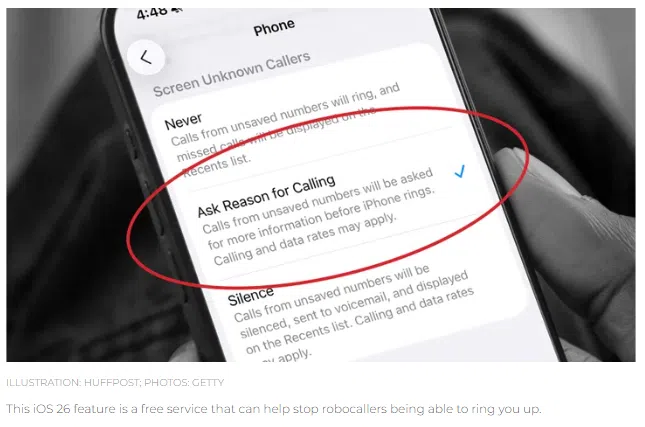
This morning on B Mornings with Brooke and Adam, we talked about a new iPhone feature that’s making waves — and for good reason. Apple’s latest iOS 26 update includes a scam-blocking tool that gives you more control over who gets through to your phone.
If you’re tired of spam calls, robocalls, or scammers pretending to be your bank, this is a game-changer.
How To Turn On Call Screening in iOS 26
Here’s how to activate the feature we discussed on the show:
- Make sure you’ve updated to iOS 26
- Go to Settings → General → Software Update
- Install the latest version if you haven’t already.
- Enable Call Screening
- Open Settings
- Tap Apps → Phone
- Scroll to Screen Unknown Callers
- Choose your preferred screening option
- Never: No screening; all calls come through.
- Ask Reason for Calling: Siri will prompt unknown callers to state their name and reason. You’ll get a transcript and can decide whether to answer.
- Silence: Unknown calls go straight to voicemail with a transcript in your Recents list.
This feature lets you filter out scams while still allowing legitimate calls — like from your doctor or delivery service — to reach you.
We covered the highlights on the show, but if you want the full scoop, check out the original article from HuffPost: Apple Just Added A Powerful Anti-Scam Tool To iPhones — Here’s How To Activate It